
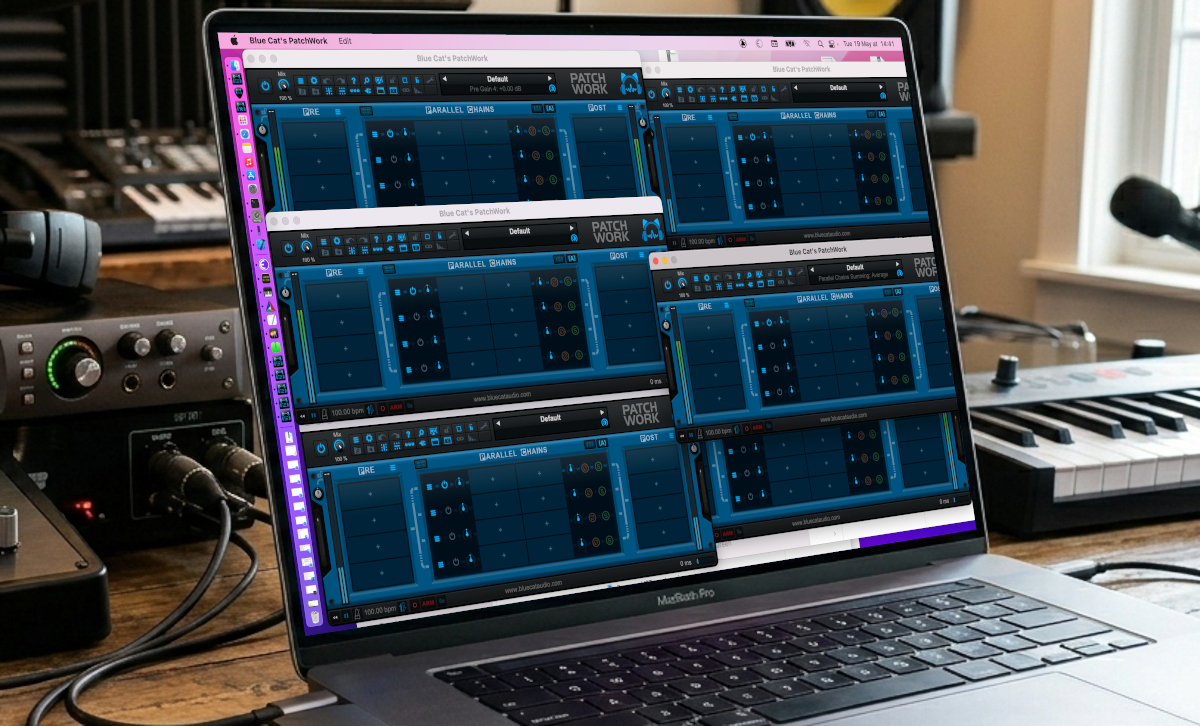
Multiple Instances?
Sometimes you may want to use effects for multiple guitar players or keyboard setups on the same machine, using several audio interfaces simultaneously. Or you may want to use several instances of a virtual control surface to control different peripherals from your computer.
While it is easy to do on Windows, on Mac it is quite frustrating not to be able to launch multiple instances of the PatchWork, Axiom, Fader Hub or Remote Control applications on Mac, to process several audio or MIDI I/O in different applications at the same time: every time you click on the app, it only brings the same instance back on screen!
But it is actually easy to overcome this limitation. Here is how!
How to Launch the Extra Instances?
You can simply open a terminal and type the following command line:
open -n /path/to/application
or
open -n -a ApplicationName
Which in our case works with
open -n -a "Blue Cat's PatchWork"
It is the extra “-n” option that lets you launch a new instance of the app when it is already running.
Extra Benefit: Default Preset
Another advantage of using the command line to launch the app is to specify the default preset to use upon launch (it can be different for each instance).
Just add the path to the preset you want to open as the default preset when the app launches at the end of the command. To avoid typing the full path, you can drag and drop the file from the finder onto the terminal:
open -n -a "Blue Cat's PatchWork" /User/bluecat/Documents/Blue\ Cat\ Audio/Blue\ Cat\'s\ PatchWork/Presets/MyDefault1.preset
You can then save this into a shell script file, if you want to quickly launch the app with this specific preset without re-typing it all every time.
Enjoy!



Very cool. This works for other apps too?
Sure! You can launch any app this way, unless it was specifically built to run only once. And the default preset thing is a Blue Cat Audio special :-).