
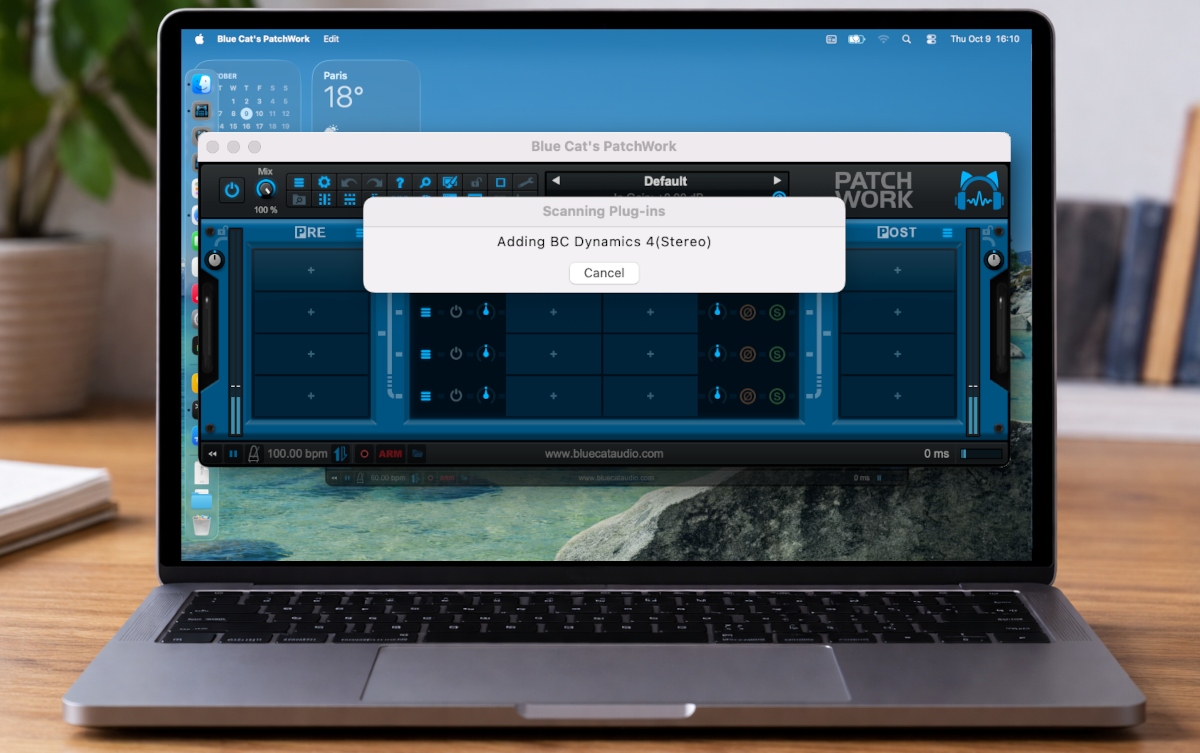
Some of you have been asking for it for a while, it is now coming! Please welcome PatchWork‘s plug-ins scanner, available in the latest preview!
A Plug-Ins Scanner?
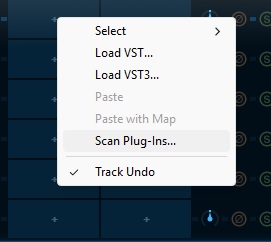
In addition to loading third party plug-ins manually from their file like before, you can also choose to scan the system for plug-ins, using the new “Scan Plug-Ins” menu item when clicking on a plug-in slot:
This will launch a full system scan to find plug-ins in VST, VST3 and (on MacOS) Audio Unit formats, so that you can then load them later directly from the plug-in menu:
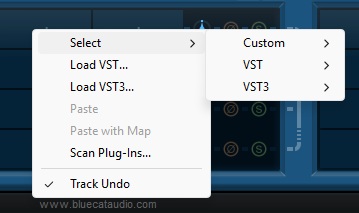
Tip: do not forget to setup the VST plug-ins paths in the preferences (spanner icon in the toolbar) before launching the scanner.
Safety & Incremental Updates
In case you may be getting crashes due to faulty plug-ins while scanning the system, the scanner will start over from the next plug-in the next time you launch it, no worries.
Tip: the scanner is very simple (it only loads binaries, query for plug-ins and unloads the binary, plug-ins are never fully loaded), so if a plug-in crashes during the process, it is likely to be pretty unstable and I would personally not trust it.
If you have added or removed plug-ins, you can relaunch the scanner anytime. It will only check for modified or removed plug-ins and update the list accordingly. Incremental updates are usually lightning fast if not many plug-ins have changed.
Optional & Non-Intrusive
The scanner is fully optional: you can keep loading your plug-ins manually if you prefer, and save your favorites as before to load them quickly from the menu.
The scanner won’t start automatically anytime you open PatchWork. It’s up to you to launch it anytime you need/want to update the plug-ins list. This means that you won’t have to wait for a long time before working with PatchWork when you are in a hurry.
The scanning process can also be cancelled in case it takes too much time to your taste. No worries, it will resume from where it left off next time you relaunch it.
Implementation Details
The scanner currently saves its data in your Documents/Blue Cat Audio/Blue Cat’s PatchWork/Plugins/Scanner, next to your saved favorites (saved in the “User” directory). Note: this may be changed to another folder in the near future, shared with our other plug-ins hosts so that you do not have to scan again for every single host.
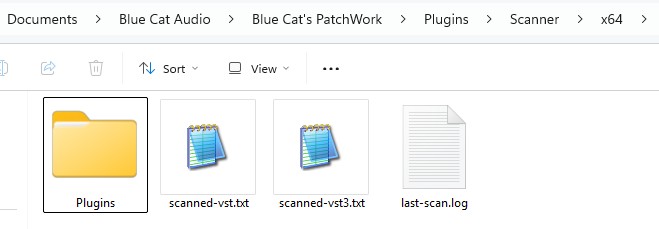
You will find the plug-in in the “Plugins” sub-directory, saved in the same format as your User favorites. There are also several files in there, where the scanner keeps track of scanned plug-ins for updates, as well as a scan log (not in very first preview) so that you can see what exactly happened during last scan.
Tip: in case of crash during the scan, you can detect faulty plug-ins by looking at the log. The last logged plug-in should be the culprit – you can remove it from your system if you want to be safe in the future.
Extra Possibilities
The scanner sorts the plug-ins by type (VST, VST3, Audio Unit) and manufacturer, since that’s the most common option, and it does not require to actually load the plug-in during scan to get this information.
Since the output of the scanner is all file-based, you can explore the scanner’s “Plugins” directory and copy the files you want to your user favorites, ordering and renaming them as you wish, with whatever structure works for you.
Note: user favorites are not deleted or modified by the scanner, so you may have to clean these up in case you removed the plug-ins. But if they are in your favorites, it’s not likely, right?
More…
There is more to come in the near future on this topic. Feel free to get the preview and send feedback if you want more from the plug-ins scanner!
Enjoy!


