



Videos
More Videos...
How To Launch Multiple Instances of an Application on Mac?
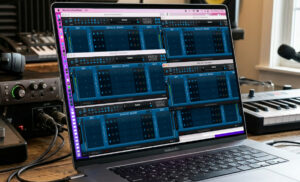 |
Multiple Instances? Sometimes you may want to use effects for multiple guitar players or keyboard setups on the same machine, using several audio interfaces simultaneously. Or you may want to … Read More |
Remote Control 3.2 – The Virtual Control Surface Reloaded!
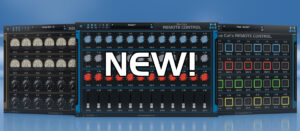 |
We are glad to unleash today a major free update for our virtual control surface software, Blue Cat’s Remote Control. There are quite a few exciting new features in this … Read More |
Controlling Virtual Instruments in Cakewalk Sonar with MIDI: ReFX Nexus 4 & Remote Control
 |
As a MIDI-in and MIDI-out plug-in, Blue Cat’s Remote Control can help in various situations, either to control MIDI devices or plug-in or act as an interface between MIDI controllers … Read More |
How To Control an Overdrive Pedal via MIDI
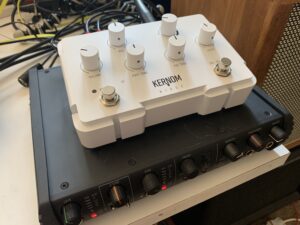 |
In this video recorded in collaboration with The Guitar Channel (theguitarchannel.biz), we show you how to control via MIDI the Kernom Ridge overdrive pedal. This pedal (made in France) has … Read More |
Blue Cat’s Remote Control As A Super Macro Controller For Multiple Plug-Ins
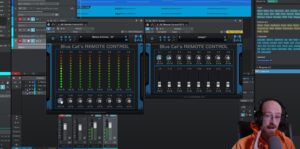 |
With its ability to control multiple plug-ins or hardware devices via MIDI CC messages, Blue Cat’s Remote Control can also used to create macro controls for multiple parameters. Eric Burgess … Read More |
Remote Control: Taking MIDI Control To The Next Level
 |
Here is a great overview of the Remote Control plug-in by our friends at Groove3. It tells you everything you need to know about the plug-in and what it can … Read More |
Tutorial - Real Time MIDI CC Mapping with Blue Cat's Remote Control
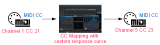 | This tutorial shows how to use the Remote Control plugin to map a given MIDI controller on a given channel to a different one, and change its response curve at the same time. The principle is to us... Read More |
Tutorial - Level Monitoring with Blue Cat's Remote Control
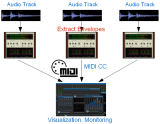 | This tutorial shows how to use the Remote Control MIDI control surface and Blue Cat's DP Meter Pro analysis plugin (DPMP) to monitor several tracks in a same screen, on graphs or meters you can custom... Read More |
Tutorial - Remote Monitoring and Control with Blue Cat's Remote Control
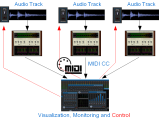 | This tutorial shows how to use the Remote Control MIDI control surface and DP Meter Pro audio analysis plugin (DPMP) to monitor and control several tracks in a same screen. Before you read this tutori... Read More |
Tutorial - Using MIDI Connectivity in a Modular Host (Plogue Bidule)
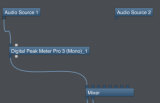 | This tutorial shows you how to use the MIDI connectivity of our plugins in a modular host such as Plogue Bidule. We are using the Mac version of Bidule in this tutorial. The scenario here is very sim... Read More |
Tutorial - Using Blue Cat Audio plugins connectivity in Reaper
 | This tutorial shows how to use our plugins MIDI connectivity within Reaper. We use Blue Cat's Dynamics plugin as an example, but you can use any other audio plugin which provides output parameters, su... Read More |
Tutorial - Connecting plug-ins together in Logic for advanced side chain effects
 | This tutorial shows how to use the connectivity capabilities of our plugins within Logic. We use Blue Cat's DP Meter Pro plugin (DPMP) as an example, but you can use any other audio plugin which provi... Read More |
Tutorial - Using Blue Cat Audio plug-ins connectivity in Pro Tools
 | This tutorial shows how to use the MIDI connectivity of our plugins within Pro Tools. We use Blue Cat's DP Meter Pro plugin as an example, but you can use any other audio plugin which provides output ... Read More |
Any questions, comments? You want to submit your own tutorial to win a free license? Please post on our Forum!
