



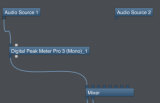
This tutorial shows you how to use the MIDI connectivity of our plugins in a modular host such as Plogue Bidule. We are using the Mac version of Bidule in this tutorial.
The scenario here is very simple: we will be using a first audio source (Audio Source 1) to modulate the volume of another one (Audio Source 2). It can typically be used for side chain compression, ducking, automatic voice over etc. We will be using the DP Meter Pro plugin, but the tutorial is applicable to any of our plugins with MIDI output.
Step By Step
01 - Start with two audio sources and the main mixer:

02 - Drag and drop the Blue Cat's Digital Peak Meter Pro plugin (VST or AU):
.png "Step 02 - Drag and drop the Blue Cat's Digital Peak Meter Pro plugin (VST or AU)")
03 - Connect the Blue Cat's Digital Peak Meter Pro (aka DPMP) audio input and output:
 audio input and output.png "Step 03 - Connect the Blue Cat's Digital Peak Meter Pro (aka DPMP) audio input and output")
04 - Drag and drop the Blue Cat's Gain plugin:

05 - Connect the gain plugin audio inputs and outputs:

06 - Connect the MIDI output of the DPMP to the MIDI input of the gain plugin:

07 - In the DPMP, enable the transformed envelope MIDI output and setup the MIDI CC channel and number:

08 - Open the preset settings for the gain plugin:

09 - Enable MIDI for the gain parameter and set the MIDI CC channel and number to the same values as the DPMP output:

10 - The gain for the second audio source is now controlled by the transformed envelope of the first audio source:

11 - You can now tweak the parameters to control the side chain:
You can change the parameters of the envelope in the Digital Peak Meter Pro as well as adjust the MIDI response curves and value ranges in both plugins to adjust the response of the side chain.
You are now able to use the MIDI capabilities of our plug-ins in a modular host such as Plogue Bidule. It is possible to create many audio-controlled effects thanks to this technique, using any of our audio plugins as a destination for the MIDI messages sent by one of our plugins with MIDI output. See our other tutorials for more examples.
Any questions, comments? You want to submit your own tutorial to win a free license? Please post on our Forum!