



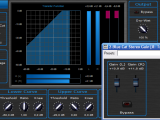
This tutorial shows how to perform side chain compression, ducking or gating with the Dynamics plugin and the Gain Suite free plugins. Side Chaining consists in using a track signal to control an effect on another track:

In our case, the envelope detection is performed on the source signal, and the gain computed by the dynamics processor is applied to the destination track.
This tutorial uses Cakewalk Sonar as a host, but you can use any other host provided it supports MIDI CC. For more information, check our other Tutorials for other hosts (the Digital Peak Meter Pro tutorials explain how to use MIDI I/O in many hosts).
Step By Step
01 - Insert the Dynamics plug-in on the source track:
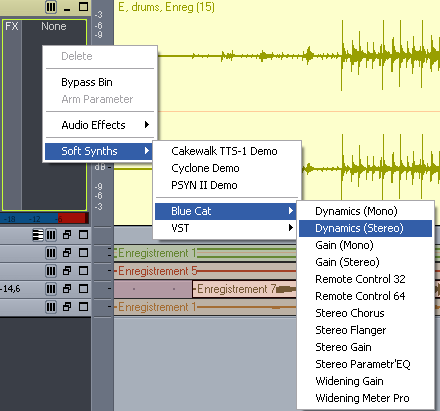
02 - Open the presets settings window (right click on the background) of the Dynamics plug-in:
 of the Dynamics plug-in.png "Step 02 - Open the presets settings window (right click on the background) of the Dynamics plug-in")
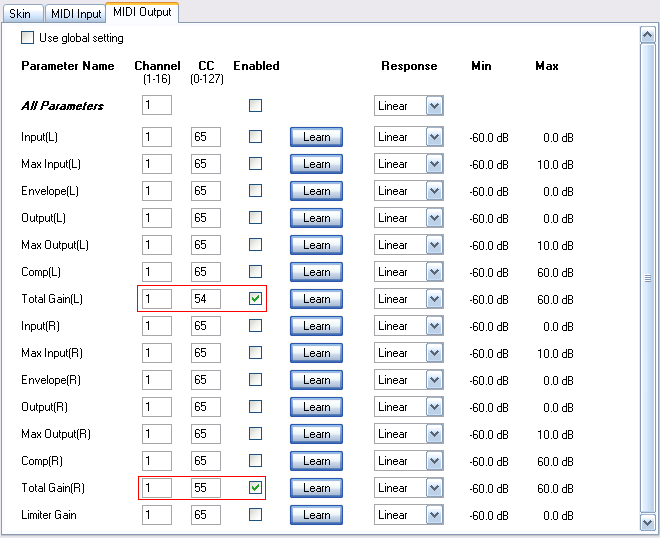
03 - Setup the MIDI output channels and CC numbers for left and right total gain parameters:
04 - Insert the gain plug-in on the destination track:
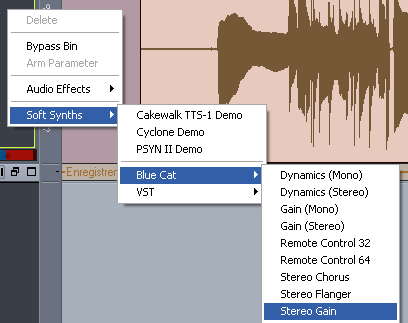
05 - Open the presets settings window for the Gain plug-in:
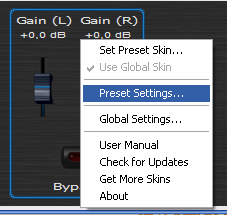
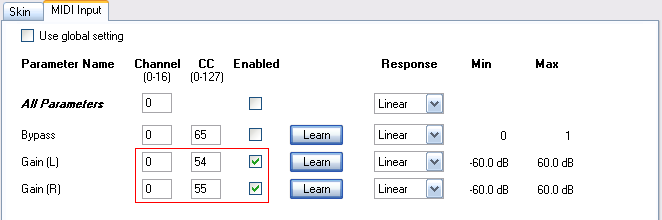
06 - Assign the left and right gain MIDI input channels and CC number to the same values as the Dynamics output:
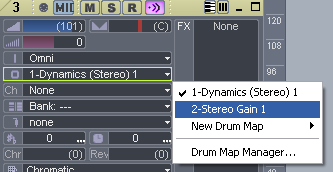
07 - On a MIDI track, connect the Gain plugin MIDI input:
08 - Set the Dry-Wet ratio to 0 on the dynamics plug-in so that the source track is not affected by the effect:

09 - Hit play:
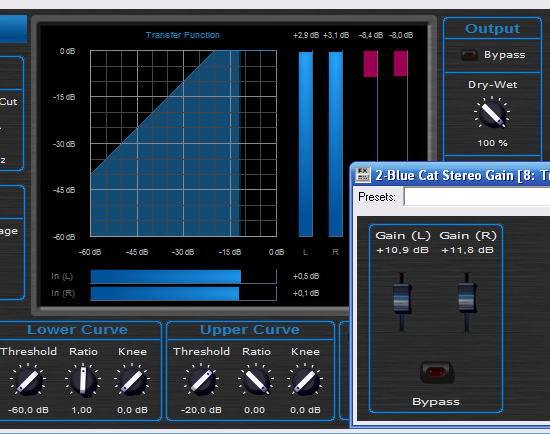
10 - Tweak the parameters of the dynamics plugin on the source track, the compression is applied to the destination track in real time:
Any questions, comments? You want to submit your own tutorial to win a free license? Please post on our Forum!