



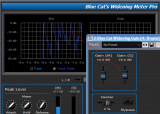
This tutorial shows how to use the DP Meter Pro and the freeware Gain Suite plugins to enhance the stereo perception of a track. It's a very simple example of how to connect the measurements capabilities of the Widening Meter Pro to other plug-ins parameters:

The principle is to use the Mid channel level to influence the side channel gain. This way the stereo perception of the sound is dynamically modified, depending on how loud the mid channel is.
This tutorial uses Cakewalk Sonar 6 as a host application, but any directX or VST compatible host that supports MIDI routing will work. See our DP Meter Pro Tutorials for more information about how to use MIDI routing in other applications such as Ableton Live, Steinberg Cubase, Energy XT, Sony Vegas etc.
Step By Step
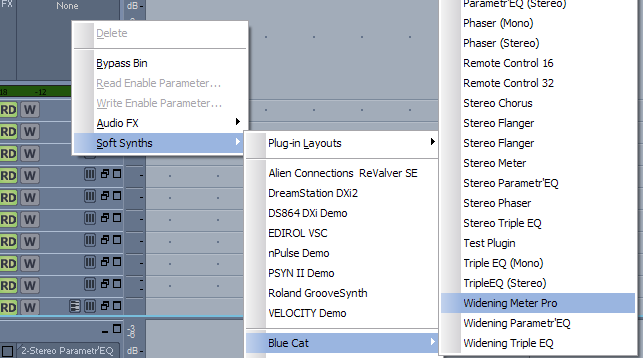
01 - Insert the Widening Meter Pro in the source audio track:
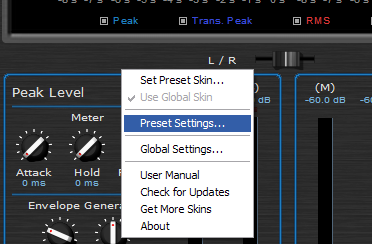
02 - Open the presets settings window:
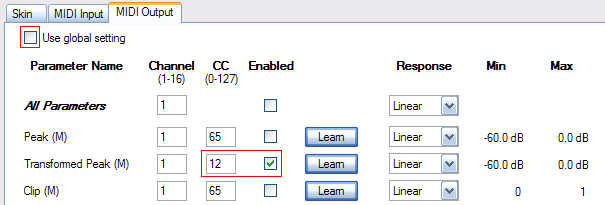
03 - In the MIDI output pane, check the 'use global settings' box, and setup the MIDI parameters for the transformed peak parameter:
04 - Open the synth rack view:

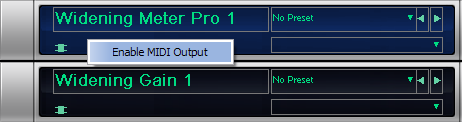
05 - Enable MIDI output for the Widening Meter Pro - it is now setup to send Mid gain information as MIDI CC:
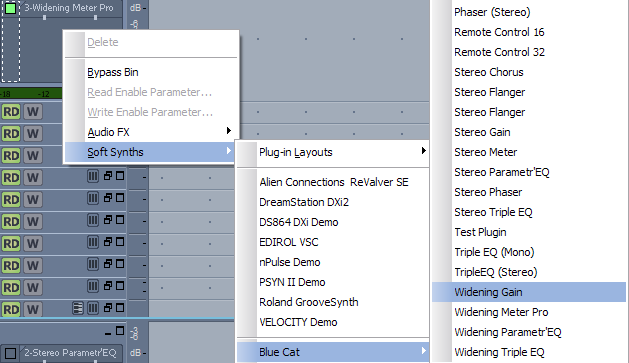
06 - Insert the Widening gain after the Widening Meter Pro on the same track:
07 - Open the preset settings window for the Widening Gain:

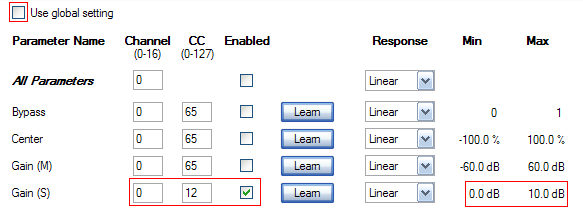
08 - Enable the side gain MIDI control and affect it to the same MIDI CC as the Widening Meter Pro output:
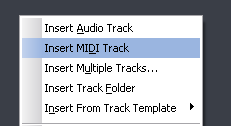
09 - Insert a new MIDI track:
10 - Assign the MIDI output of this track to th eWidening Gain plug-in - it is now setup to receive the Widening Meter Pro MIDI events:
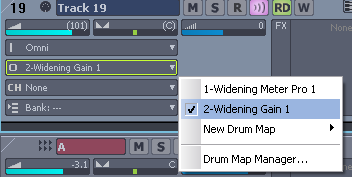
11 - Depending on your host software, you may want to check that MIDI echo is on:

12 - Play the song, and see how the side gain moves according to the track mid level:
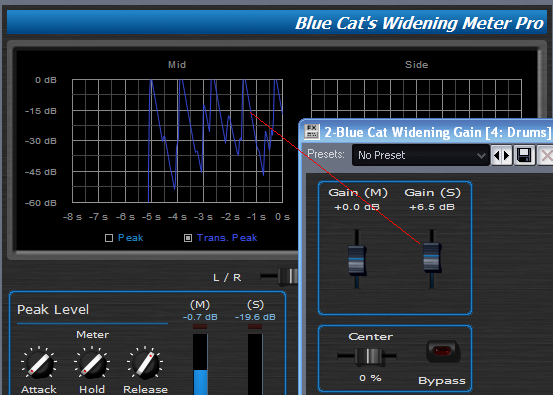
13 - Adjust the offset and amount parameters depending on how strong you want the widening effect to be:

Any questions, comments? You want to submit your own tutorial to win a free license? Please post on our Forum!